

BBQ Grill Product Data Checklist for Retail Listings

What You’ll Learn
This guide shows retail buyers and grill suppliers how to prepare a model-specific product data handoff before a product goes into a catalog or online listing. You will learn which identifiers, verified attributes, image files, and approval records to request, and how to flag missing information without guessing. Retailer and marketplace rules vary, so the checklist separates reusable product facts from channel-specific fields.
Preparing BBQ grill product data for retail listings takes more than a title and a few photographs. The handoff connects one sellable item to the correct model, variant, approved specifications, and image set. When those records are incomplete, a retailer may need to rebuild the listing or ask the supplier to confirm details late in a launch.
Start with the AO YUE BBQ grill range to identify a product family. A category page helps with product discovery; it does not replace the exact item record or the retailer’s own onboarding template.
Start With the Retailer’s Current Data Template
Ask the buyer or retailer for the current template, required fields, accepted units, image rules, file format, and submission route. Do this before filling a spreadsheet. One channel may request attributes in a feed, while another may use a portal or a buyer-provided workbook. Treat the retailer’s latest instructions as the authority for that listing, rather than assuming one supplier sheet fits every channel.
Google Merchant Center provides a useful public example of channel-specific product data: its current specification includes fields such as an item ID, title, description, product link, and image link. Those are Google fields, not a universal list for every retailer. The practical lesson is to map the supplier’s source data to each channel’s fields and preserve the source value alongside any transformed version.
Give Every Product and Variant a Stable Identity
When preparing BBQ grill product data for retail listings, build the row around the exact product and sellable configuration. Include the supplier model or part number, the buyer’s item or vendor SKU when assigned, brand or private-label name, and a GTIN only when one has been assigned for that trade item. Keep model number, retailer SKU, and GTIN in separate fields; they identify different things and should not be substituted for one another.
If products differ by fuel, finish, size, included accessories, or another configuration, document how the retailer wants variants grouped. Give each variant its own approved identity and corresponding image where required. Google’s product guidance, for example, advises keeping an item’s ID stable when updating product data and using identifiers appropriately. Confirm the retailer’s own rules before applying that guidance to its catalog.
Separate Verified Specifications From Copywriting
For each field, record the value, unit, source document, revision, and reviewer. A grill data pack may need dimensions, net weight, fuel type, materials, cooking-area information, included parts, care details, or package contents. Include only fields relevant to the model and channel, and source every technical value from an approved product record, drawing, manual, or other controlled evidence.
Keep assembled-product dimensions separate from carton dimensions. Keep the primary cooking surface separate from a warming rack if the source distinguishes them. Do not convert units without recording the conversion rule, and do not infer a material grade, capacity, certification, or feature from a photograph. When the source is silent or conflicting, label the field “pending confirmation” and identify who must resolve it.
Retail copy should describe the same configuration as the record. Draft a concise product title and description only after the facts are approved. Use clear, model-specific wording; avoid claims such as “commercial grade,” “smokeless,” or “heavy duty” unless the responsible team has evidence and the retailer accepts the wording. Channel rules may also restrict promotional language or require specific attribute formats.
Deliver Images as a Model-Matched Asset Set
Provide a clear primary product image and any additional views the buyer requests. Name each file with the model or SKU and view, then include an image manifest that maps each file to the exact item or variant. Add lifestyle, detail, packaging, or dimension images only when they are accurate, approved, and useful for that channel. Do not reuse a similar model’s image to fill a gap.
Image requirements are channel-specific. Google Merchant Center, for example, asks for an image link and provides detailed rules for image content, format, and size; GS1 publishes a separate product image specification for trading partners. Use these references to prepare assets only when they apply to the chosen channel. Always check the buyer’s current image brief, including background, pixel dimensions, file type, naming, and whether text or logos are permitted.
Keep Retail Data Separate From Packaging and Compliance Files
A product listing, carton artwork, instruction manual, and compliance record may share model facts, but they are different controlled assets. Record which product revision each one describes. Retail copy must not become the source for safety statements or certification claims; those require their own current evidence and market review.
Use the private-label manual and warning artwork checklist when consumer-facing documents are being approved. For the commercial request itself, the BBQ grill RFQ checklist helps buyers define a common product and quote scope. The listing data pack serves a later, separate handoff: it prepares approved product facts and assets for a retailer’s catalog workflow.
Use a Simple Review and Release Workflow
- Obtain the retailer’s latest template and channel-specific content and image rules.
- Assign one stable product identity to each model and sellable variant.
- Populate technical fields from approved, revision-controlled sources.
- Map every image and consumer-facing claim to the exact model or variant.
- Mark missing, conflicting, or market-dependent fields as open instead of estimating them.
- Have the supplier and buyer owners review the final data export and retain the approved revision.
Keep the final data file with the approved product record. If the model, variant, image, or source specification changes, review affected fields before sending an update. The BBQ grill product traceability guide covers the related need to connect product records and revisions to the correct item history.
Retail Listing Data Handoff Checklist
- Current retailer template and submission rules are on file.
- Supplier model, buyer SKU, brand, and assigned GTIN are recorded separately.
- Each variant has a clear identity and the correct image mapping.
- Technical values include units and traceable source revisions.
- Retail description and claims match the approved product configuration.
- Assembled and packaged dimensions, product weight, and shipping data are not conflated.
- Open questions have an owner and are not silently replaced by estimates.
- The approved export, image manifest, and related revision are retained.
Frequently Asked Questions
Is there one universal product data sheet for every retailer?
No. Retailers and marketplaces can use different templates and image rules. Keep a verified source record, then map it to the current requirements for each destination.
Should the supplier create a GTIN for every product?
Do not invent or reuse an identifier. Record the GTIN assigned to the trade item when one exists, and confirm the retailer’s process for products without an assigned GTIN.
Can a product image confirm missing dimensions or materials?
No. Use a product image to represent the item, not to establish technical specifications. Request a controlled source and mark the field pending until the responsible owner confirms it.
Prepare a Retail-Ready Product Data Request
When requesting a listing pack from AO YUE, send the target retailer or channel, model references, required template, market, and image instructions. Ask for a source-backed data file and an image manifest that identify the same approved product revision. This keeps the handoff specific without treating one retailer’s rules as universal.
For a model-specific product data request, contact AO YUE with your target channel and product references.
Use this checklist to prepare BBQ grill product data for retail listings without guessing about channel-specific fields. This article is a procurement workflow, not a retailer’s onboarding policy or legal, regulatory, certification, or product-safety advice. Confirm current requirements with the relevant buyer and use evidence for the exact product and market.
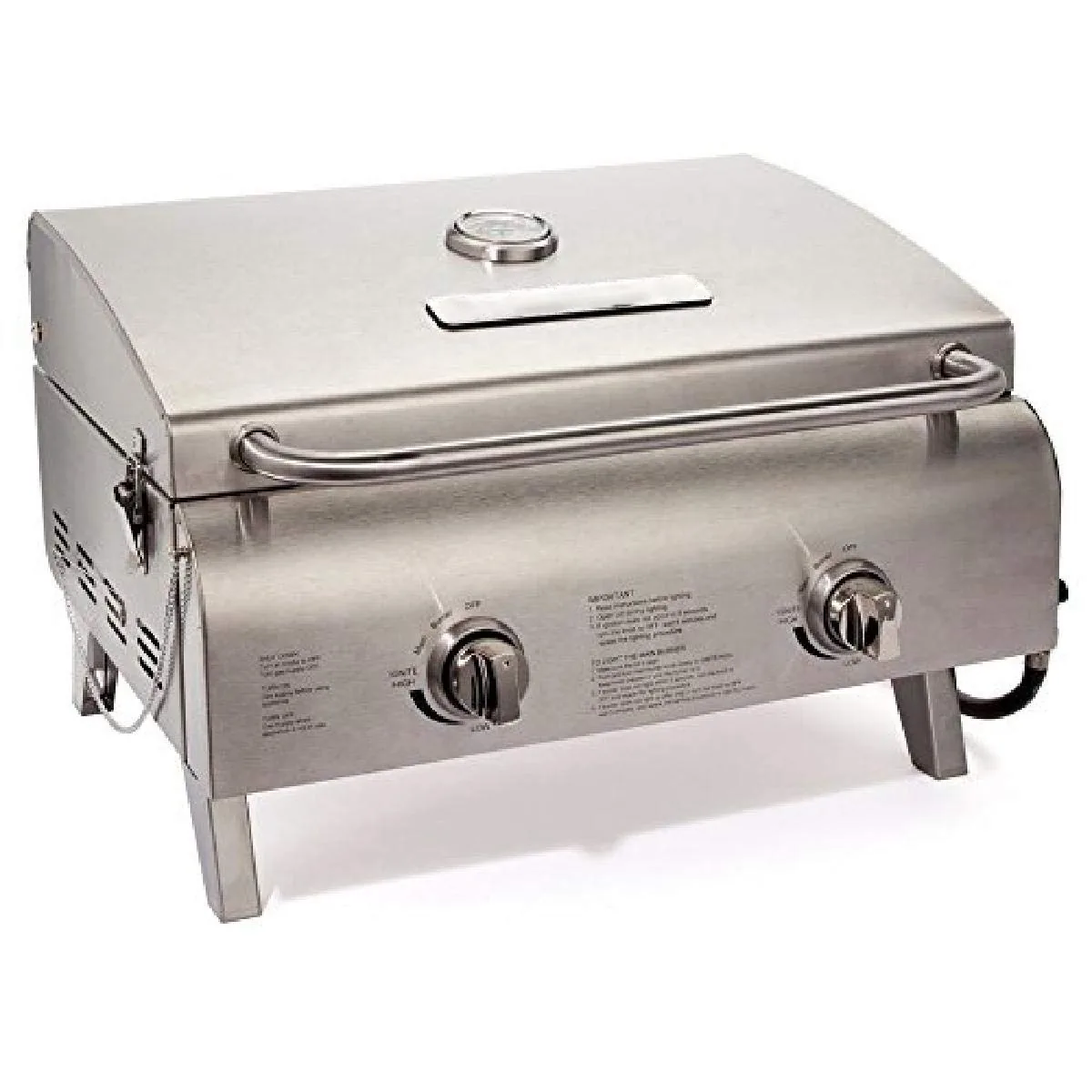
AO YUE AY-QSF-002 gas grill. Match each product image and listing record to the exact model and approved variant.
Source and Scope Note
Research checked on 26 November 2026 for the United States, United Kingdom, and Germany. Primary references include the Google Merchant Center product data specification, its image-link guidance, and the GS1 Product Image Specification. These are channel or trading-partner references, not universal retailer requirements. Google Trends was checked as a research source but the selected query’s trend series was not accessible, so no trend index or search-volume claim is made. Search-result checks surfaced buyer questions around required product identifiers, specifications, product images, and channel-specific templates; these are used as qualitative demand signals only.
